Best IPTV Box in 2026 — Complete Buying Guide & Comparison
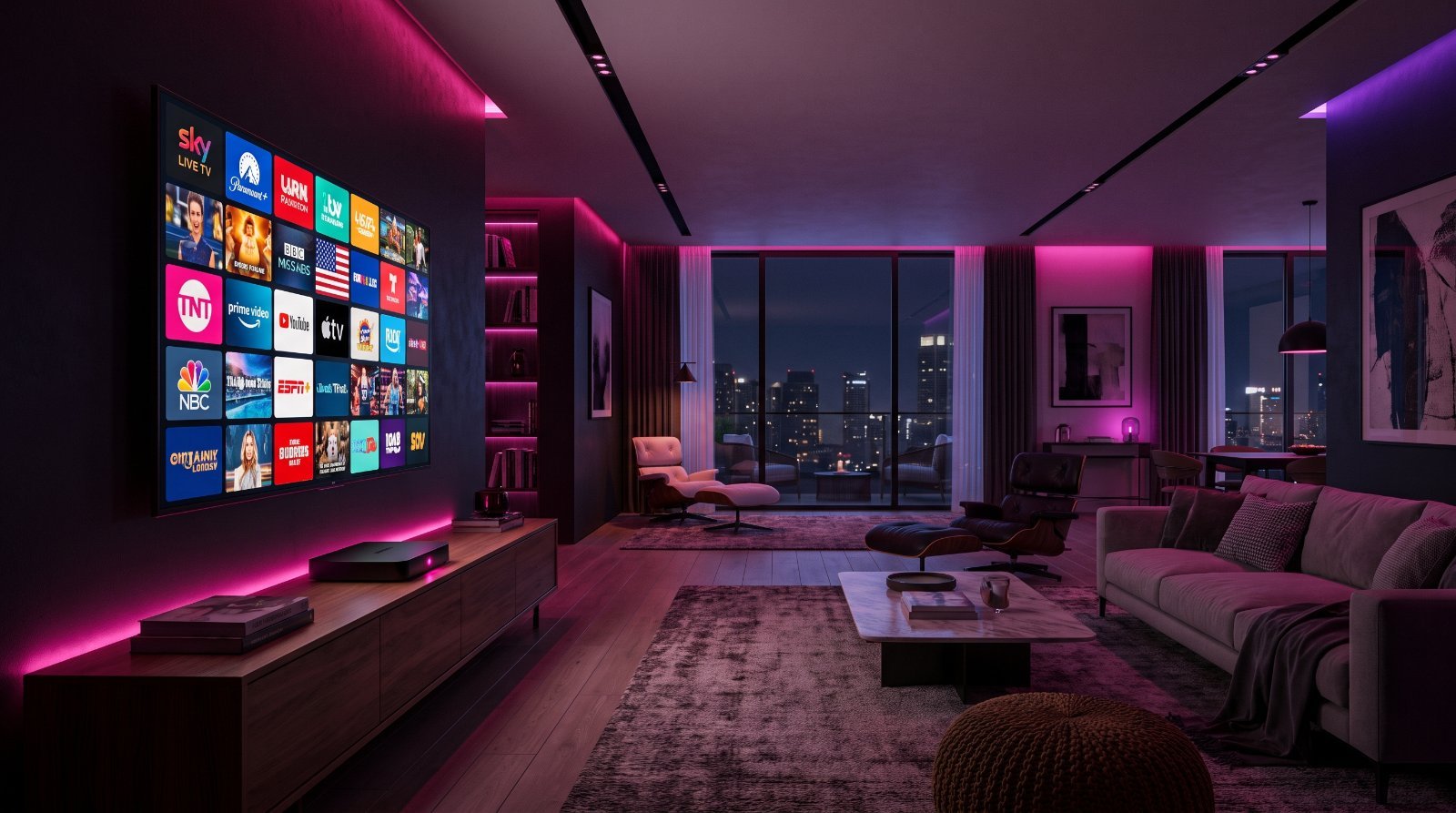
Choosing the right IPTV box is the single biggest decision for your streaming setup — arguably bigger than the service itself. The right box turns a good IPTV subscription into a console-smooth experience with instant channel switching, crisp 4K HDR and a TV guide that just works. The wrong one buffers, lags, and makes even a premium service feel broken. In this guide we compare the seven best IPTV boxes for 2026 across every price point, explain exactly which specs matter, and help you match a box to the way you actually watch.
Every device here has been hands-on tested with the major IPTV players — TiviMate, IPTV Smarters Pro and Sparkle — so you can buy with confidence rather than guessing from a spec sheet.
Do You Even Need a Dedicated IPTV Box?
If you already own a recent Smart TV or a games console, you might wonder whether a separate box is worth it. The honest answer: for casual viewing, the apps built into a 2023-or-newer Samsung, LG or Sony TV are fine. But built-in TV software ages fast, updates slowly, and often lacks the best IPTV players. A dedicated box gives you a faster processor, up-to-date apps and a snappier interface that stays smooth for years — which is exactly why most serious IPTV users add one even to a good Smart TV. At $50–$60 for a Firestick, it is the cheapest upgrade you can make to your streaming quality.
How We Tested the Best IPTV Boxes
Our team spent four weeks living with each device, running the same IPTV line on all of them so the only variable was the hardware. We measured cold-boot and app-launch times, channel-zapping speed, and 4K HDR playback stability during peak weekend traffic when servers are busiest. We timed how quickly the EPG (TV guide) loaded and how well each box coped with a large channel list without slowing to a crawl.
We also weighed the real-world things buyers actually notice day to day: remote quality, Wi-Fi versus Ethernet performance, storage for apps, and how painless it is to sideload an IPTV player. Prices quoted are typical street prices at the time of writing and will vary by region and sale.
What to Look for in an IPTV Box
Processor power
The chip decides whether 4K streams play smoothly or stutter. A capable processor also means faster app launches and near-instant channel switching. Budget boxes cut costs here first, which is why cheap generic boxes feel sluggish within months.
RAM
Random-access memory keeps your player, EPG and background services running smoothly at once. 2GB is the practical minimum for 4K IPTV; 3–4GB is what separates a box that stays fast from one that chokes on a big channel list.
Storage
16GB or more gives you room for your IPTV player, a backup player and a catch-up cache. Skimpy 8GB boxes fill up fast and start throwing “insufficient storage” errors when you least expect it.
Operating system
Android TV and Google TV offer the widest app support and the smoothest sideloading. Fire OS (on the Firestick) is Android-based and works brilliantly for IPTV. Linux-based boxes like MAG are rock-solid but limited to portal-style setups.
Connectivity
Wi-Fi 6 (or 6E) handles high-bitrate 4K far better than older standards, but nothing beats a wired connection. A box with a Gigabit Ethernet port — or support for a USB-to-Ethernet adapter — is worth paying extra for if you stream a lot of sport.
Remote and extras
A good backlit remote with voice search and direct-launch buttons makes daily use painless. Bluetooth support, Dolby Vision and Dolby Atmos passthrough are the extras that separate a premium box from a merely functional one.
The Best IPTV Boxes for 2026
| Device | Price | RAM | OS | Best for |
|---|---|---|---|---|
| Nvidia Shield TV Pro | ~$200 | 3GB | Android TV | Premium performance |
| Amazon Firestick 4K Max | ~$60 | 2GB | Fire OS | Best value |
| Formuler Z11 Pro Max | ~$180 | 4GB | Android TV | IPTV specialists |
| Ugoos AM8 Pro | ~$130 | 4GB | Android TV | Power users on a budget |
| MAG 524w3 | ~$130 | — | Linux | Dedicated IPTV box |
| Xiaomi Mi Box S 2nd Gen | ~$50 | 2GB | Android TV | Budget pick |
1. Nvidia Shield TV Pro — Premium Choice
The Nvidia Shield TV Pro is still the gold standard for streaming in 2026. Its Tegra X1+ chip, 3GB of RAM and 16GB of storage deliver flawless 4K HDR playback with Dolby Vision and Dolby Atmos, plus AI-powered upscaling that sharpens lower-resolution channels to near-4K. It runs full Android TV with the Google Play Store, so every major IPTV player installs in seconds and never stutters, even on channel lists in the tens of thousands.
It is overkill for casual viewers, but if you want a box that will still feel fast in three years, nothing else comes close. The backlit remote, Gigabit Ethernet and Plex/Emby server features round out a device that does far more than IPTV.
- Pros: Unmatched performance, AI upscaling, huge app support, long software support.
- Cons: Expensive; overkill for light users.
- Price: ~$200 · Best for: Premium users who want the fastest box available.
2. Amazon Firestick 4K Max — Best Value
The Firestick 4K Max is the best value box on this list and the one we recommend to most people. Wi-Fi 6E, 2GB of RAM and support for 4K HDR10+ and Dolby Vision mean smooth playback on almost any connection, and at around $60 it costs a third of the Shield. It runs Fire OS, so you sideload your IPTV player in a couple of minutes using the free Downloader app.
The only real compromise is Amazon’s interface, which pushes its own content — but for IPTV you live inside your player anyway, so it rarely matters. For a small, cheap, genuinely capable 4K box, nothing beats it.
- Pros: Cheap, Wi-Fi 6E, tiny and portable, excellent 4K playback.
- Cons: Amazon-heavy UI; needs sideloading; only 2GB RAM.
- Price: ~$60 · Best for: Most users — the best performance-per-dollar.
3. Formuler Z11 Pro Max — IPTV Specialist
The Formuler Z11 Pro Max is built specifically for IPTV. It ships with 4GB of RAM, the polished MyTVOnline3 player, a Bluetooth voice remote and dual-band Wi-Fi with Gigabit Ethernet for rock-steady streams. Where other boxes make you install and configure a player, the Formuler is ready to go out of the box with an interface designed around live TV.
It is the enthusiast’s pick — the box for people who want IPTV to feel like a proper set-top experience rather than an app on a general-purpose streamer.
- Pros: Purpose-built for IPTV, 4GB RAM, excellent bundled player, great remote.
- Cons: Pricier than a Firestick; less useful for non-IPTV apps.
- Price: ~$180 · Best for: IPTV purists who want an optimised player built in.
4. Ugoos AM8 Pro — Power User on a Budget
The Ugoos AM8 Pro is the enthusiast bargain. Its Amlogic S928X-J chip and 4GB of RAM rival boxes twice the price, and it handles every codec you can throw at it, including high-bitrate 4K and HDR. Ugoos firmware is famously stable and updated regularly, which is why it has a loyal following among IPTV power users.
It lacks the polish of the Shield’s remote and ecosystem, but pound for pound it delivers premium performance at a mid-range price.
- Pros: 4GB RAM, superb codec support, stable firmware, Gigabit Ethernet.
- Cons: Basic remote; less mainstream support than Shield.
- Price: ~$130 · Best for: Power users who want Shield-like performance for less.
5. MAG 524w3 — Simple and Reliable
The MAG 524w3 runs Linux rather than Android, which makes it exceptionally stable for portal-based IPTV. It handles 4K HEVC smoothly and keeps a clean, no-frills interface that anyone in the household can use without a tutorial. There is no Play Store, so it is best for people who want a dedicated set-top box that simply works, not an app playground.
- Pros: Extremely stable, simple interface, great for portal IPTV.
- Cons: No Android app ecosystem; portal-style setup only.
- Price: ~$130 · Best for: Users who want a plug-and-play dedicated IPTV box.
6. Xiaomi Mi Box S 2nd Gen — Budget Pick
The Xiaomi Mi Box S 2nd Gen is the budget pick at roughly $50. It is Google-certified Android TV with 4K HDR, Google Assistant and Chromecast built in, plus full Play Store access for any IPTV app. With only 2GB of RAM it will not match the Shield for heavy multitasking, but for a single 4K IPTV stream it is superb value and a genuine Android TV device rather than a generic box.
- Pros: Cheap, genuine Android TV, Play Store, Chromecast built in.
- Cons: Only 2GB RAM; ageing chip.
- Price: ~$50 · Best for: Budget buyers who want official Android TV.
IPTV Box vs. Smart TV vs. Games Console
A Smart TV is the most convenient option since the apps are already there, but its hardware is usually the weakest and it receives the fewest updates. A games console (Xbox or PlayStation) can run some IPTV apps but is power-hungry and clumsy for daily channel surfing. A dedicated IPTV box or stick wins on speed, app choice and value: it boots straight into your player, switches channels instantly, and can be moved between rooms or taken travelling. For the price of a couple of takeaways, it is the single biggest quality-of-life upgrade for any IPTV subscription.
Which IPTV Box Should You Buy?
If you want the best all-rounder: the Amazon Firestick 4K Max. It is cheap, tiny and handles 4K IPTV beautifully — the right choice for the vast majority of viewers.
If you want the most powerful box: the Nvidia Shield TV Pro. Buy it once and it will stay fast for years, with AI upscaling and features no other box matches.
If IPTV is all you care about: the Formuler Z11 Pro Max, with its built-in player and set-top-box feel.
If you are on a tight budget: the Xiaomi Mi Box S, or simply a Firestick 4K Max on sale.
Setting Up IPTV on Your New Box
Whichever box you choose, the setup is similar: install an IPTV player (TiviMate and IPTV Smarters Pro are our top picks), then add your subscription using an M3U link or Xtream Codes login. On a Firestick you will use the Downloader app to sideload the player first. Our complete IPTV setup guide and Firestick installation guide walk you through every step with screenshots.
Common Mistakes to Avoid
- Buying a cheap no-name box. Generic sub-$30 boxes use weak chips and stop getting updates within months — false economy.
- Relying on Wi-Fi for 4K sport. Use Ethernet or a Wi-Fi 6 box if you watch live sport; buffering at kick-off is almost always a network issue.
- Ignoring storage. 8GB boxes fill up fast; 16GB+ saves headaches.
- Skipping the free trial. Always test your IPTV service on the box before committing to a long plan.
Frequently Asked Questions
Do I need a special box to watch IPTV?
No. Any Android TV box, Amazon Fire TV Stick or Google-certified streamer will run IPTV once you install a player. A dedicated box such as the Formuler Z11 simply ships with an IPTV-optimised player already on board.
What is the best IPTV box in 2026?
For most people the Amazon Firestick 4K Max is the best all-round choice thanks to its low price and smooth 4K playback. If money is no object, the Nvidia Shield TV Pro is the most powerful; for IPTV purists the Formuler Z11 Pro Max is purpose-built.
How much RAM does an IPTV box need?
2GB is the realistic minimum for smooth 4K playback. 3–4GB (as on the Nvidia Shield and Formuler Z11) gives you headroom for a large channel list, catch-up and multitasking without slowdown.
Can I use an Amazon Firestick for IPTV?
Yes. The Firestick is one of the most popular IPTV devices in the world. Enable apps from unknown sources, install a player like IPTV Smarters Pro or TiviMate, and log in with your subscription details. See our Firestick setup guide.
Do IPTV boxes work with any provider?
Yes. The box is just the hardware — it runs a player app, and the player connects to whichever IPTV service you subscribe to. Every box in this guide works with FireviewTV.
Is an Android TV box better than a Smart TV for IPTV?
Usually, yes. A dedicated box has a faster processor and more up-to-date apps than the software built into most Smart TVs, so channels load quicker and the interface stays smooth for longer.
What internet speed do I need for a 4K IPTV box?
Around 25 Mbps for stable 4K, and 10–15 Mbps for HD. A wired Ethernet connection is more reliable than Wi-Fi for high-bitrate streams.
Does FireviewTV work on all of these boxes?
Yes. FireviewTV works on every box in this guide through IPTV Smarters Pro or TiviMate. Start with a free 24-hour trial and load your line in minutes.
Quick IPTV Box Buying Checklist
Before you buy, run any box you are considering through this quick checklist. Ticking most of these boxes all but guarantees a smooth IPTV experience for years rather than months:
- At least 2GB RAM (3–4GB if you want long-term headroom for big channel lists).
- A genuine, named brand — Nvidia, Amazon, Formuler, Xiaomi or Ugoos — not an anonymous generic box.
- 4K HDR support with Dolby Vision if your TV supports it.
- Wi-Fi 6 or an Ethernet option for stable high-bitrate streams, especially live sport.
- 16GB+ storage so you never hit “insufficient space” errors.
- Play Store or easy sideloading so you can install TiviMate or IPTV Smarters Pro.
- Regular firmware updates from the manufacturer, so the box stays fast and secure.
If a box fails several of these, spend the extra few dollars on one that does not — it is the difference between a device you replace next year and one that just keeps working.
The Bottom Line
The best IPTV box is the one that matches how you watch. Most people should buy the Amazon Firestick 4K Max and never look back — it is cheap, fast and effortless. Enthusiasts and heavy users will be happier with the Nvidia Shield or a Formuler Z11, and budget buyers are well served by the Xiaomi Mi Box S. Whatever you pick, pair it with a reliable service and a free trial so you can confirm everything runs smoothly before you commit. Get the hardware right and your IPTV experience is transformed from frustrating to flawless.
Ready to Get Started?
All of these boxes work perfectly with FireviewTV — 7,000+ channels, full VOD and 72-hour catch-up. Try our free 24-hour trial or browse our IPTV plans to get started today.
Related Articles
Continue reading and discover more about IPTV:
Ready to start streaming?
Join 44,000+ customers since 2018 — 7,000+ channels in 4K, 30-min activation, 24/7 support.